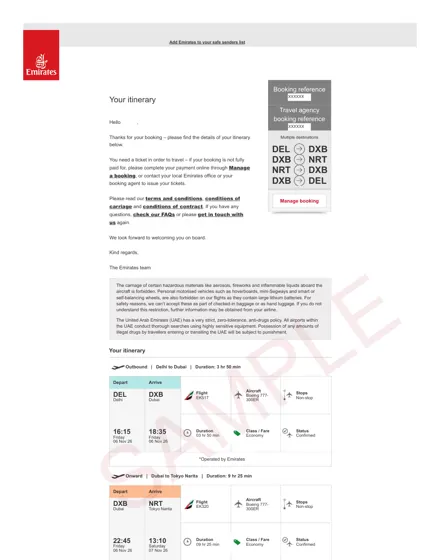
Emirates sample
Delhi – Dubai – Tokyo – Dubai – Delhi, multi-city
Airline itinerary email · 2 pages · PDF, 241 KB
These are 18 dummy ticket samples from real reservations we issued, plus one hotel booking, with every passenger detail removed. Open any PDF to see exactly what arrives in your inbox: the airline, flight numbers, dates, route and where the booking reference (PNR) appears.
Each sample is a real reservation. Names, booking references, e-mail addresses, phone numbers and barcodes have been removed and a SAMPLE mark added, so the documents cannot be reused. Your own reservation shows your name as on your passport and a live booking reference.
Delhi – Dubai – Tokyo – Dubai – Delhi, multi-city
Airline itinerary email · 2 pages · PDF, 241 KB
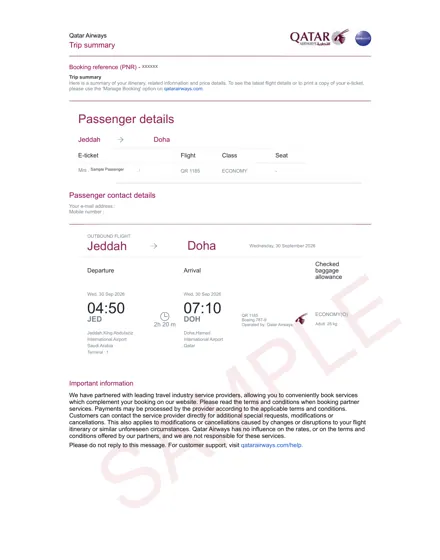
Jeddah – Doha, one way
Airline trip summary · 1 page · PDF, 131 KB
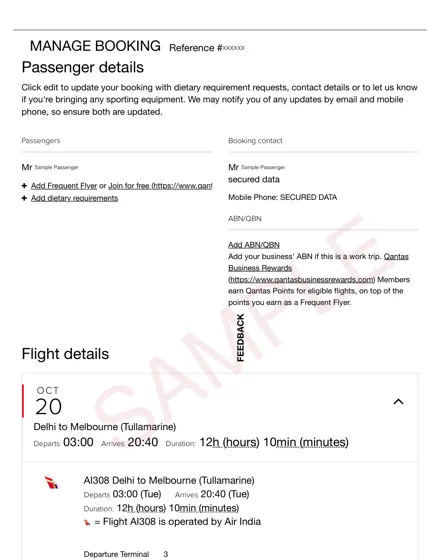
Delhi – Melbourne – Sydney – Delhi, round trip
Manage-booking page · 2 pages · PDF, 288 KB
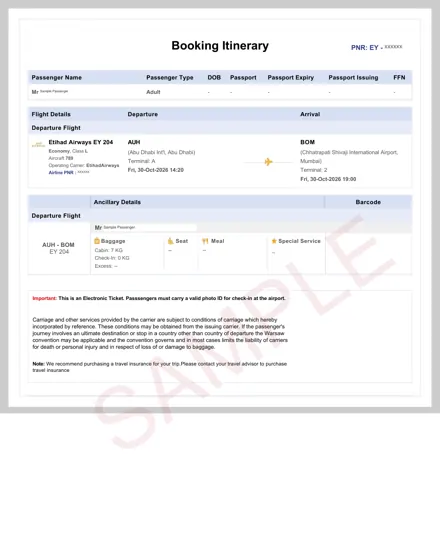
Abu Dhabi – Mumbai, one way
Booking itinerary · 1 page · PDF, 123 KB
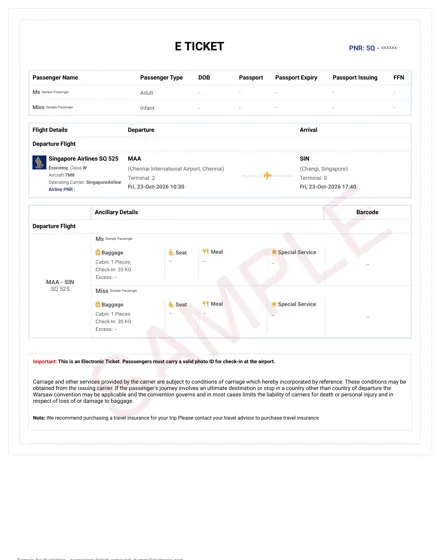
Chennai – Singapore, two passengers
Booking itinerary · 1 page · PDF, 121 KB
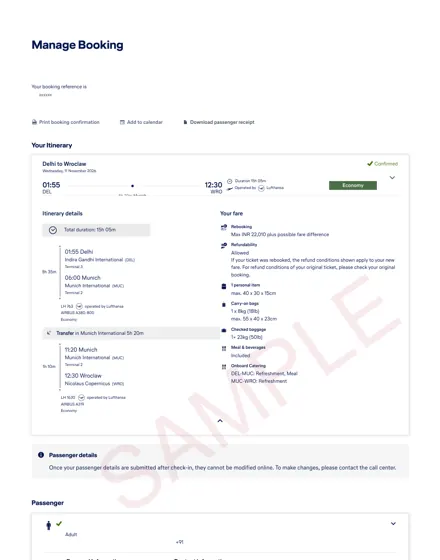
Delhi – Munich – Wroclaw, one way
Manage-booking page · 1 page · PDF, 125 KB
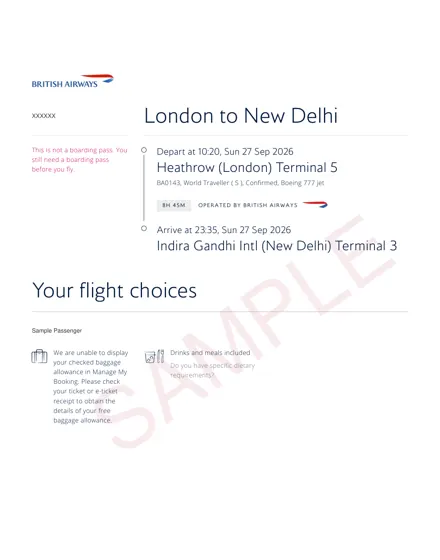
London – New Delhi, one way
Manage-booking page · 1 page · PDF, 91 KB
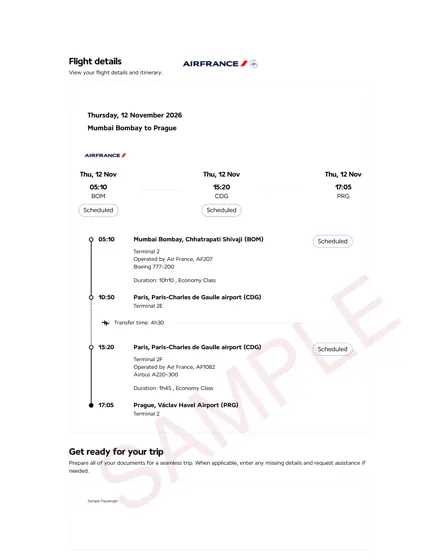
Mumbai – Paris – Prague, one way
Flight details page · 1 page · PDF, 104 KB
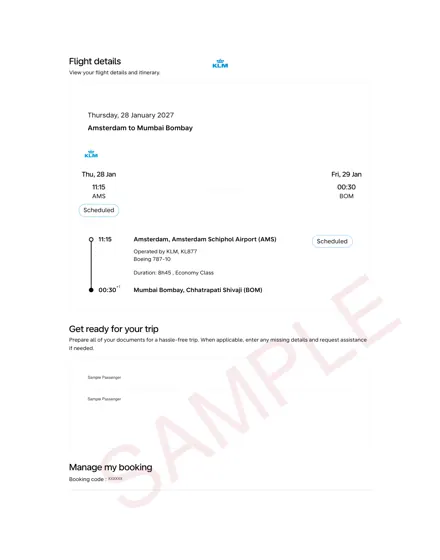
Amsterdam – Mumbai, two passengers
Flight details page · 1 page · PDF, 73 KB
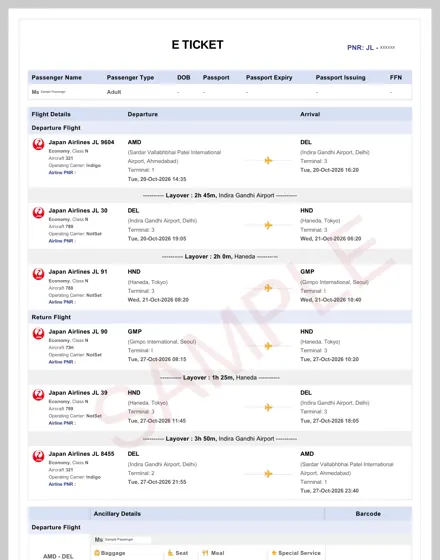
Ahmedabad – Delhi – Tokyo – Seoul, round trip
Booking itinerary · 2 pages · PDF, 272 KB
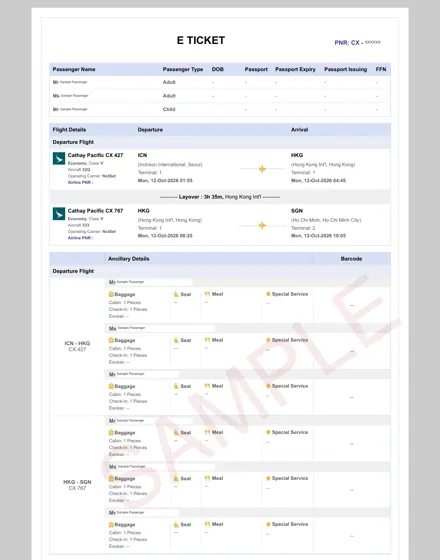
Seoul – Hong Kong – Ho Chi Minh City, three passengers
Booking itinerary · 1 page · PDF, 160 KB
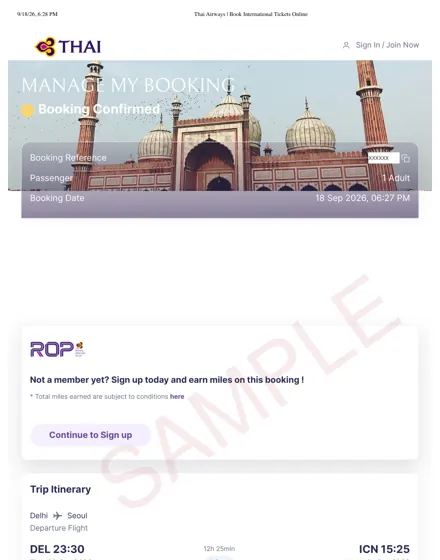
Delhi – Seoul, round trip
Manage-booking page · 2 pages · PDF, 243 KB
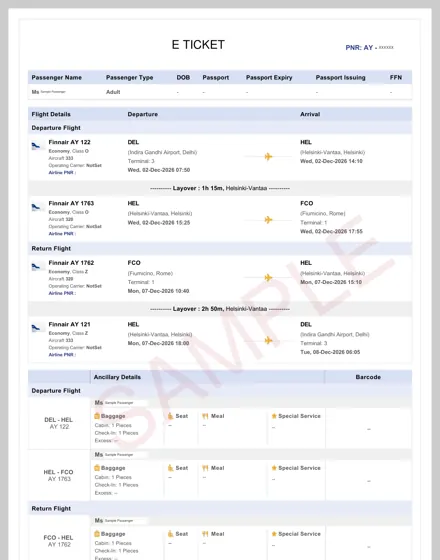
Delhi – Helsinki – Rome, round trip
Booking itinerary · 2 pages · PDF, 214 KB
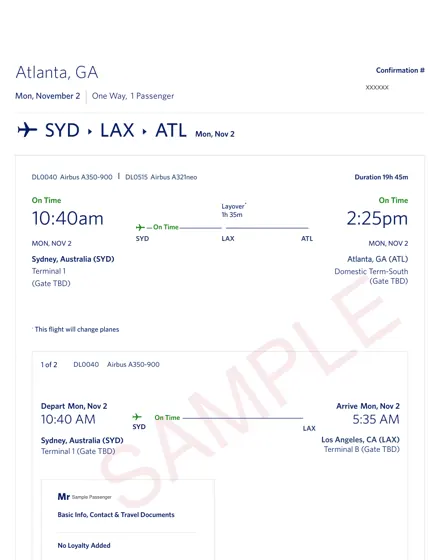
Sydney – Los Angeles – Atlanta, one way
Trip details page · 2 pages · PDF, 207 KB
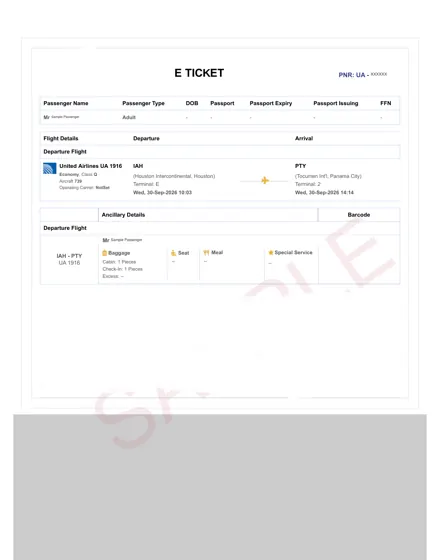
Houston – Panama City, one way
Booking itinerary · 1 page · PDF, 77 KB
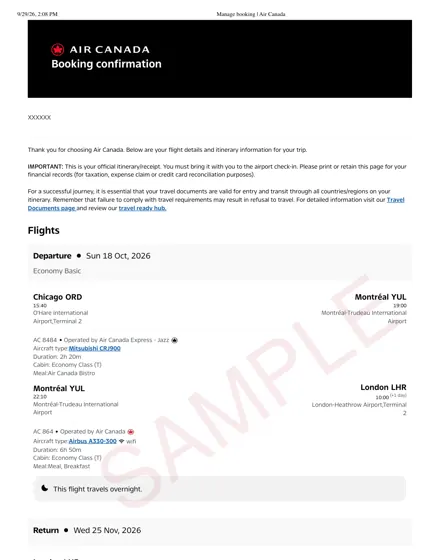
Chicago – Montréal – London, return via Zurich, two passengers
Booking confirmation · 2 pages · PDF, 267 KB
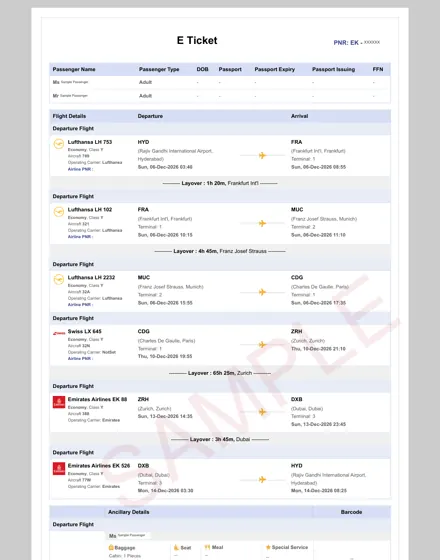
Hyderabad – Frankfurt – Munich – Paris – Zurich – Dubai – Hyderabad, two passengers
Booking itinerary · 2 pages · PDF, 294 KB

Nine flights across Europe on Austrian, Turkish, ITA, Air France and Swiss
Booking itinerary · 2 pages · PDF, 241 KB
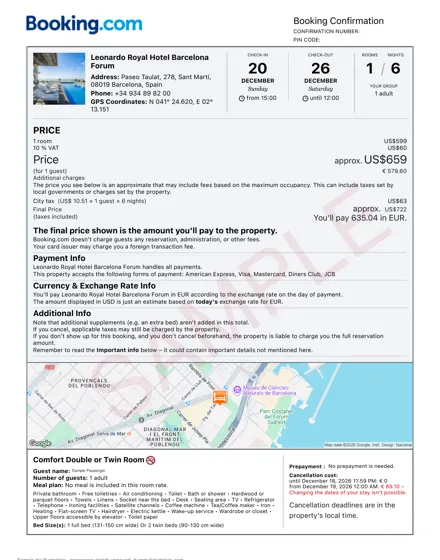
Barcelona, six nights, one guest
Hotel booking confirmation · 1 page · PDF, 245 KB
There is no single "dummy ticket format". The document you receive depends on the airline and on how that airline shows a reservation:
What matters is the booking referenceWhatever the layout, the part a visa officer or airline can check is the booking reference (PNR). Enter it with the passenger's surname on the airline's "Manage booking" page and the same flights should appear. See how to verify a dummy ticket before submission.
Before you submit yours, check each of these against your application form. A fuller checklist is in what a dummy ticket must include and what a valid sample looks like.
The last sample is a hotel booking confirmation for a six-night stay, the kind of proof of accommodation many visa checklists ask for alongside the flight reservation. Details on pricing and what the booking shows are on the dummy hotel booking page.
Choose your route and dates, enter passenger names as on the passport, and receive the PDF by email in about 10 minutes. ₹699 / $9 per passenger.
Related: dummy ticket for visa · dummy ticket price · guides by airline · flight reservation for visa · onward ticket