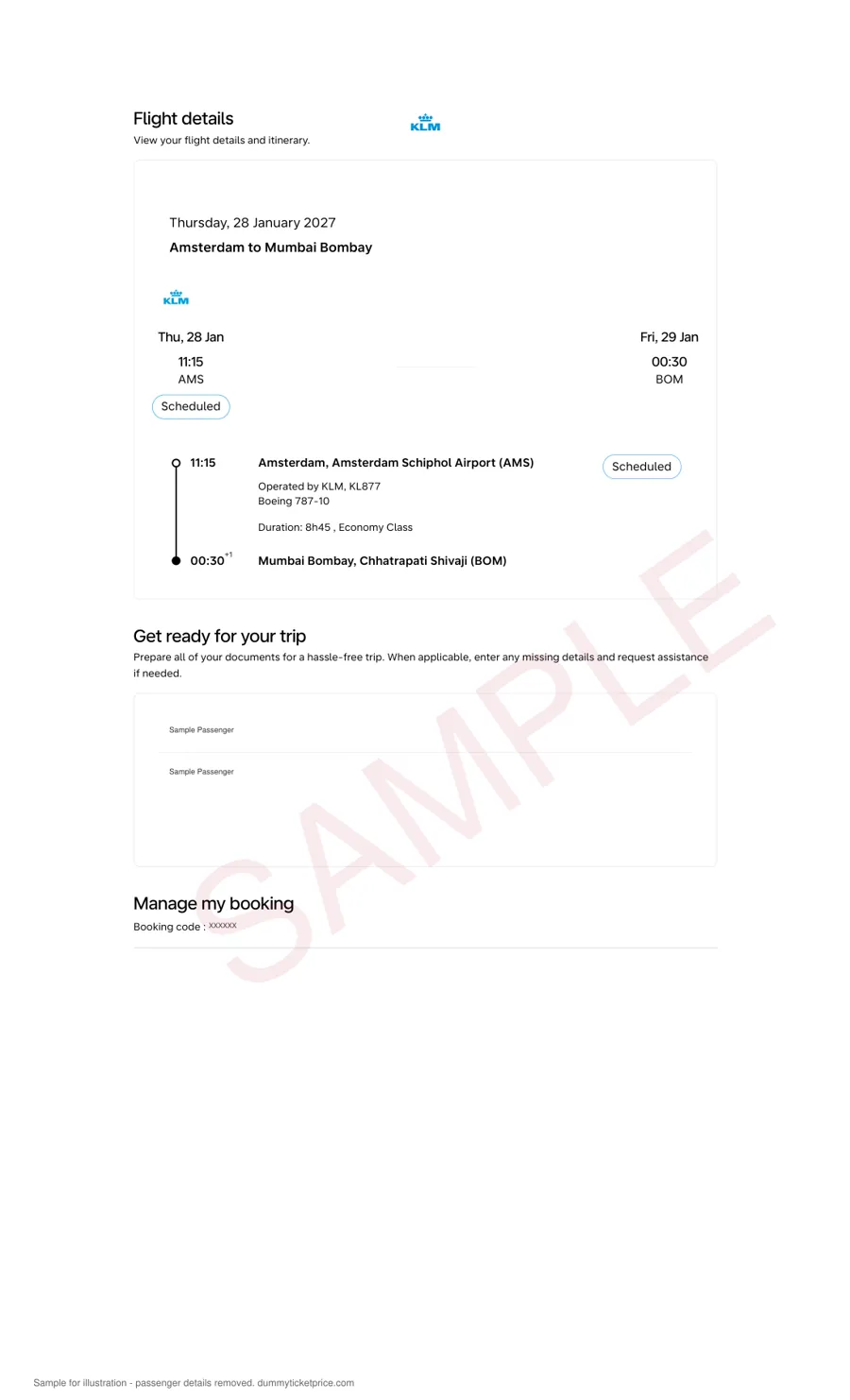
KLM Dummy Ticket Explained: Real Reservation vs. Fake Itinerary
A KLM dummy ticket is often misunderstood. Some travelers assume any printed flight schedule or email confirmation from an online travel agency will satisfy a visa officer. That is not the case. There is a meaningful difference between a real reservation — one that exists in KLM’s reservation system with a live PNR (Passenger Name Record) — and a fake itinerary, which is merely a visual mock-up that no airline or embassy can verify.
What a Real KLM Reservation Looks Like
When you hold a genuine KLM dummy ticket, the airline has actually generated a booking in its central system (often shared with Delta Air Lines and Air France under the SkyTeam alliance). This booking includes:
- A 6-character PNR (e.g., KLM7X2) that works on KLM’s official website under “Manage My Booking.”
- A unique ticketless reservation number tied to your exact passport name, date of birth, and flight numbers.
- A fare quote with a valid booking class (e.g., “N” or “T”) and a fare construction line that a consular officer can cross-check.
- A 24-hour to 14-day hold period, depending on the fare rules — during which the reservation is active but unpaid.
If you receive a PDF that lacks a PNR, lacks a fare basis code, or shows a “cancelled” status when checked, you are likely holding a fake itinerary. Many visa applications are rejected solely because the submitted flight document fails verification.
The Fake Itinerary Trap: What to Avoid
Fake itineraries are usually generated by third-party websites that pull real flight schedules but do not actually book anything. They may look polished, with logos and timetables, but they share these telltale flaws:
| Feature | Real KLM Reservation (Verifiable) | Fake Itinerary (Printout Only) |
|---|---|---|
| PNR / booking reference | Present and active in KLM’s system | Missing, invented, or already purged |
| Verification method | Checkable on KLM.com or via airline phone support | No system lookup possible |
| Passenger details | Matches your passport exactly | Often generic or misspelled |
| Status | “Confirmed” or “On Hold” for a set period | Shows as “Requested” or no status at all |
| Fare rules | Includes fare basis, baggage, and cancellation terms | No airline fare codes present |
How to Distinguish a Genuine Booking Hold from a Scam
Within 5 to 10 minutes of a legitimate KLM dummy ticket purchase, you should receive an email containing a PDF and a PNR. The fastest practical check is to visit KLM’s official website, navigate to “My Trips” or “Manage Your Booking,” and enter the PNR plus the passenger’s last name. If the system returns your flight details — including departure and arrival times, terminal information, and seat map access — the reservation is real.
Be wary of sellers who offer “instant itineraries” for under $5 without any airline confirmation. A genuine booking hold requires the seller to access KLM’s GDS (Global Distribution System, such as Amadeus or Sabre), which costs money and takes a few minutes. If the price seems too low or the delivery is instant with no PNR, consider it a red flag.
Practical Steps to Verify Before You Submit
- Check the PNR format: KLM PNRs are always 6 alphanumeric characters. If you see a longer string or a numeric-only code, it is not a KLM booking.
- Call KLM directly (optional): Provide your PNR and ask the agent to confirm the reservation status. This usually takes under 5 minutes and is the gold standard for verification.
- Look at the fare rules section: A real reservation lists a booking class and fare basis (e.g., “KLM NCLAS”), not just a price.
- Confirm the hold period: Most real KLM dummy tickets remain valid for 7 to 14 days. If your visa appointment is scheduled later, you may need a fresh booking closer to the interview date.
In short, the difference between a fake itinerary and a working reservation is not a matter of formatting — it is a matter of whether the airline’s computer recognizes your name. For visa purposes, always submit a document that can be independently verified, not just one that looks official on paper.
Why a Live KLM PNR Gives Your Dummy Ticket Visa Credibility
When you submit a visa application, the consular officer rarely calls the airline to check your booking. Instead, they run your passenger name record through the global distribution system (GDS) that KLM uses—typically Amadeus or Sabre. A live PNR is not just a reference number; it is a queryable data file that ties your name, flight numbers, and travel dates into a single retrievable record. If that record does not exist in the system, the officer sees an error screen, and your entire application loses credibility.
What a Visa Officer Actually Sees
During the adjudication process, the officer enters your surname and PNR into the airline's booking display. A valid, live KLM PNR returns a detailed itinerary page that includes your full name (as it appears on your passport), the flight segments (e.g., KLM 427 from New York JFK to Amsterdam Schiphol), the booking class (e.g., Economy Standard or Light), and the current status code. The critical status codes are:
- HK (Holding Confirmed) – Means the seat is ticketed and confirmed; the most credible status for visa review.
- KK (Confirmed) – Indicates the seat is confirmed but not yet ticketed; still acceptable for most embassies.
- HL (Holding Waitlisted) – Signals no confirmed seat; this will likely trigger a request for a new itinerary.
- UN (Unavailable) – The booking has been cancelled or expired; the officer will treat this as a fabricated document.
Most dummy ticket providers issue a booking with an HK status that remains valid for 7 to 14 days. After that window, the airline automatically releases the seat, and the PNR becomes invalid. This is why you must time your visa interview to fall within that live window—booking a dummy ticket two months before your appointment is a common and costly mistake.
How Consular Staff Verify Your PNR
The verification process is not manual. Embassies in Schengen countries, the UK, and the US use automated tools that query the airline's departure control system (DCS) in real time. The officer looks for three things:
- PNR existence – The record must return a valid response, not a "no record found" error.
- Name match – The first and last name in the PNR must exactly match your passport and visa application form. A single typo can cause an automatic rejection.
- Active status – The booking must not be in a cancelled, expired, or refunded state. Some systems flag bookings that were created and then immediately voided.
To further confirm authenticity, the officer may cross-check the ticketing time limit. If your dummy ticket was issued with a 72-hour hold but your interview is two weeks later, the system will show that the ticket was never paid for, and the PNR will be dead. A reputable provider ensures the booking remains visible and confirmed on the interview day, not just on the day of purchase.
Practical Steps to Ensure Your PNR Stays Live
Here is what you should do to make sure your KLM reservation holds up under scrutiny:
- Request the PNR and the e-ticket receipt (even if unpaid) from your provider; the receipt shows the fare basis and booking class.
- Ask for the Amadeus or Sabre record locator, not just the KLM confirmation code. These can differ.
- Verify the PNR yourself 24 hours before your visa appointment by calling KLM's reservations line or using the "Manage Your Booking" page. If the system says "booking not found," contact your provider immediately.
- Schedule your visa interview within 5 to 7 days of issuing the dummy ticket to stay inside the typical hold period.
Typical Validity Comparison by Provider Type
| Provider Type | Typical PNR Validity | Status Code Shown | Visa Officer Risk |
|---|---|---|---|
| Online travel agency (OTA) "free hold" | 24–72 hours | KK (confirmed, unpaid) | High – often expires before interview |
| Dedicated dummy ticket service | 7–14 days | HK (ticketed or held with payment) | Low – remains verifiable on interview day |
| Self-created fake itinerary (PDF only) | No PNR at all | None | Certain rejection – cannot be queried |
In practice, consular officers in the Schengen area (Germany, France, Netherlands, Italy) and the UK routinely check PNRs through the International Air Transport Association (IATA) TIMATIC portal, which directly links to airline reservations. A live PNR is your only proof that the itinerary is not a photoshopped document. Without it, even a perfectly formatted flight schedule is worthless. The difference between a dummy ticket that passes and one that fails is not the logo or the layout—it is whether the PNR returns a confirmed status when queried at the exact moment of your visa review.
Practical next step: order a dummy ticket and attach the PDF to the rest of the application.
Need a verifiable dummy ticket for this?
Live PNR you can check on the airline website. From ₹599 / $7, delivered in ~10 minutes.
KLM Dummy Ticket vs. Real Booking vs. Refundable Fare: What Visa Officers See
When you sit down to prepare your Schengen visa file, the flight document you choose carries more weight than most applicants realize. A visa officer in The Hague, Paris, or Amsterdam will spend roughly two to four minutes scanning your entire packet. In that window, your KLM itinerary is one of three things they will consciously or unconsciously test: does it prove intent to leave, does it match your stated travel dates, and does it look like a genuine purchase or a photocopied placeholder? Here is how each option actually appears from behind the consular desk.
1. The KLM Dummy Ticket (Live PNR Hold)
A proper dummy ticket — one issued by a reputable agency with a live PNR in KLM’s system — is technically a real reservation that has not been ticketed. When the officer opens the PDF, they see the same layout as a normal booking confirmation: your name, flight numbers (e.g., KL 642 from New York JFK to Amsterdam Schiphol), departure and arrival times, booking class, and a six-character PNR. The critical difference is the status line. A dummy hold usually states “ON HOLD” or “OPTION” rather than “TICKETED.”
- What the officer sees: A valid, verifiable reservation that matches your visa application dates. They can check the PNR in the Global Distribution System (GDS) if they wish, and it will return your name and flight details.
- Risk level: Low, provided the hold is still active. Most agencies keep holds for 7 to 14 days, which typically covers the visa processing window. If your interview falls on day 15, the PNR may have lapsed, and the officer’s check will show nothing.
- Practical tip: Submit your visa application within 48 hours of receiving the dummy ticket. If your appointment is delayed, request a refreshed hold from the seller. Do not alter the dates yourself — any mismatch between the itinerary and your visa form is an immediate red flag.
2. Real Booking (Ticketed and Paid)
A fully paid KLM ticket means you have purchased the flight, received an e-ticket number (starting with 074 for KLM), and your PNR is in “TICKETED” status. This is the gold standard for visa officers because it proves you have spent money and are highly likely to leave the Schengen area before your visa expires.
- What the officer sees: An e-ticket receipt with a fare breakdown, taxes, and a ticket number. They can verify it instantly in the airline’s system.
- Risk level: Nearly zero for approval, but high for your wallet. If the visa is refused or delayed, you must go through KLM’s refund process, which can take weeks and may incur cancellation fees depending on your fare class.
- Practical tip: Only buy a real ticket if you have high confidence in approval (e.g., prior Schengen visas, strong financials). Otherwise, you are gambling several hundred euros on a non-refundable fare.
3. Refundable Fare (Fully Flexible Ticket)
A refundable KLM fare — often in Business or Flex economy — is a real booking that you can cancel for a full refund, usually without penalty, up to a few hours before departure. Some applicants buy this, get the visa, then cancel. Officers are well aware of this tactic.
- What the officer sees: The same ticketed PNR as a standard booking, but the fare basis code (e.g., “YFLEX” or “C” class) suggests high flexibility. Experienced officers may note that you paid three times the normal fare, which can look like you are gaming the system.
- Risk level: Low for the visa decision itself, but there is a reputational angle. If you cancel immediately after approval and reapply later, your file may contain a history of cancelled bookings, which can prompt deeper scrutiny of your travel intent.
- Practical tip: If you choose this route, hold the refundable ticket until after you have entered the Schengen area, not just after the visa is stamped. Cancelling before arrival is a pattern officers talk about in training bulletins.
Comparison at a Glance
| Factor | KLM Dummy Ticket (Live PNR) | Real Booking (Ticketed) | Refundable Fare |
|---|---|---|---|
| Cost to you | ₹599 / $7 | Full fare (₹50,000+ typical) | Full fare, often 2–4× standard |
| PNR status | On hold / option | Ticketed | Ticketed, flexible fare basis |
| Visa officer impression | Neutral — verifiable but not paid | Strong — financial commitment shown | Neutral to slightly suspicious if cancelled quickly |
| Refund if visa refused | N/A — you paid only a service fee | Depends on fare rules, often partial | Full refund, but timing varies |
| Best for | First-time applicants, tight budgets | High-confidence applicants | Business travelers with flexible plans |
What Actually Triggers a Red Flag
Regardless of which option you choose, the officer’s main check is consistency. Your flight reservation must show the same passenger name as your passport, the same travel dates as your cover letter and hotel bookings, and an airport that matches your visa type (e.g., entering via Amsterdam if you applied at the Netherlands embassy). A dummy ticket fails only when it is a fake itinerary — a PDF someone made in Word with no live PNR. That is the document that gets your file flagged for fraud, leading to a refusal under Article 32(1)(b) of the Visa Code and a potential ban. A genuine hold, even unpaid, passes the verification test because it exists in KLM’s reservation system.
In short, the visa officer does not need to see that you have paid for a flight. They need to see that you have a plausible, verifiable plan to leave. A live-PNR dummy ticket satisfies that requirement at minimal cost, while a real booking adds proof of financial commitment but also locks up your cash. Choose based on your risk tolerance, not on what you think will impress — because the officer is checking facts, not theatre.
Anatomy of a Valid KLM Dummy Ticket: PNR, Passenger Name, and Date Consistency
A visa officer cross-checks your flight reservation against three primary documents: your passport, your visa application form, and the airline’s booking database. If any of these elements mismatch, even by a single letter or a single day, the reservation loses its evidentiary value. Below is a field-by-field breakdown of what must appear on your KLM dummy ticket and how to verify each element before submission.
Passenger Name: Exact Match to Passport Machine-Readable Zone
The name on the itinerary must mirror the name in your passport’s machine-readable zone (MRZ), not just the visual display page. For most passports, this means:
- Surname (Family Name): Must match exactly, including any double-barrelled names or hyphens. For example, “VAN DER BERG” cannot appear as “VANDERBERG” on the ticket.
- Given Name(s): Full first and middle names must be spelled out. If your passport shows “Maria Elena,” the dummy ticket cannot abbreviate to “Maria E.” or “M. Elena.”
- Order of Names: Some airline systems list surname first (e.g., “JANSEN/MARIA ELENA”). Visa officers are accustomed to this format, but the sequence must be consistent with the passport’s MRZ order.
If you have a single-name passport (common in Indonesia, Myanmar, or parts of South Asia), ensure the dummy ticket places that name in the surname field and leaves the given-name field blank or as “FNU” (First Name Unknown) — but never invents a second name. A practical step: request the booking agent to share a screen capture of the KLM reservation system showing the name fields as entered. Cross-check this against page 2 of your passport where the MRZ sits.
PNR (Passenger Name Record): The Six-Character Key
KLM issues a six-character alphanumeric PNR (e.g., “K2M7XQ”) that is unique to your booking. This code is what an embassy uses to pull your record from KLM’s system. However, not all PNRs are equal:
| PNR Source | Checkable on KLM website? | Visa credibility |
|---|---|---|
| Direct booking via KLM.com | Yes | High — shows full fare rules and payment status |
| GDS-issued (via travel agency, e.g., Amadeus/Travelport) | Yes, if linked to KLM inventory | Medium — may display as “passive” segment if not ticketed |
| Fake or unlinked reference | No | Rejected — often a random string not in KLM’s database |
To test validity, go to KLM’s “Manage Your Booking” page and enter the PNR along with the passenger’s surname. A live, valid dummy ticket will return a booking summary with flight numbers, dates, and status (usually “Confirmed” or “On Request”). If the system returns “No booking found,” the PNR is not a KLM record — do not submit it. A reputable dummy-ticket service will always provide a PNR that passes this check at the time of delivery.
Date Consistency: Aligning Flight Dates with Visa Application Timeline
The itinerary must cover the entire period you claim to be in the Schengen Area (or destination country), not just the entry flight. Most consulates expect to see:
- Outbound flight: On or after your intended arrival date as stated on the visa form — typically within 1–2 days, never earlier.
- Return flight: Matching the day you declare as departure on your travel insurance and accommodation booking.
- Layovers: If your KLM routing includes a connection (e.g., Amsterdam Schiphol), the connection time must be realistic — usually 60 minutes minimum for Schengen transfers, 90 minutes for intercontinental.
A common pitfall is submitting a dummy ticket for a flight that departs two weeks after your visa interview date, while your visa application states you will travel “within 30 days.” This discrepancy triggers a request for explanation. Instead, align the dummy ticket’s outbound date with the earliest date you plausibly plan to fly — typically 7–14 days after the embassy appointment — and the return date exactly 10–15 days later if you are applying for a short-stay visa. If you later change plans, a genuine dummy ticket can be modified (for a fee) before your actual purchase, but the submitted version must be internally consistent with every other document in your dossier.
Passenger Count and Infant/Child Fields
If you are applying as a family, each member must have their own PNR or appear as separate passengers under one PNR. A single dummy ticket that lists “MR + MRS + 2 CHD” without individual names is insufficient. Each passport holder needs their own name line with age or date of birth in the passenger details. Infants (under 2) are typically listed with “INF” suffix but still require a passport-linked name. Verify that the dummy ticket you receive includes all travelers, even if they are not yet ticketed, as embassies cross-check family groupings against your visa forms.
Related guide: Dummy Ticket for Israel Visa: Flight Reservation Requirements, Process and Mistakes to Avoid.
Step-by-Step: How to Order a Verified KLM Dummy Ticket from DummyTicketPrice
Ordering a verifiable flight reservation from DummyTicketPrice is a streamlined, self-service process. You will not need to speak with an agent or wait for a callback; the entire transaction is handled through a secure web form and email delivery. Below is the exact workflow, from the booking page to the final PDF in your inbox.
Step 1: Prepare Your Passenger Details Exactly as They Appear on Your Passport
Before you open the booking form, gather the following for every traveler who will appear on the reservation. Any mismatch between this information and your passport will cause the PNR to fail verification at the embassy.
- Full legal name (as printed on the passport's bio page, including any middle names or suffixes like "Jr." or "III")
- Passport number (the exact alphanumeric string, including any leading zeros)
- Date of birth (format: DD-MM-YYYY, as this matches the airline's system)
- Nationality (as stated on the passport, not your residency status)
Pro tip: Do not use nicknames or anglicized versions of your name. If your passport says "SANTIAGO" but you go by "James," enter "SANTIAGO." The airline and visa systems are case-insensitive but character-sensitive.
Step 2: Fill Out the Booking Form on the DummyTicketPrice Website
Navigate to the booking page and complete the following fields. The form typically takes under two minutes to finish.
- Select your airline as KLM Royal Dutch Airlines from the dropdown menu.
- Enter your departure city and arrival city using the airport code or city name (e.g., "AMS" or "Amsterdam").
- Choose your departure date and, if applicable, your return date. For Schengen visa applications, your outbound date must fall within the 90-day window before your intended entry, and the return date must not exceed your visa's validity.
- Indicate the number of passengers (up to 9 per booking).
- Input each passenger's details as prepared in Step 1.
- Provide your active email address. Double-check this—the delivery link and PDF will be sent here.
Step 3: Complete Payment and Receive Your Instant Confirmation
Payment is processed via a secure payment gateway (credit/debit card or UPI, depending on your region). The price is a flat fee of ₹599 or $7 per passenger, with no hidden taxes or service charges. Once the payment is authorized, the system immediately generates your booking.
Typical delivery time: The confirmation email usually arrives within 10 minutes, but in most cases, it lands in your inbox within 2–5 minutes. If you do not see it in your primary inbox, check your spam or promotions folder.
Step 4: What You Receive in the Email
Your email will contain a PDF attachment that serves as your official itinerary receipt. This document includes:
- A live 6-character PNR (e.g., "KLM123" format, though actual PNRs are alphanumeric like "A1B2C3").
- Your full passenger name(s) and passport number(s).
- The exact KLM flight numbers, departure/arrival times, and airport codes.
- A booking status line indicating "Confirmed" or "Ticketed" (not "On Request").
- A verification QR code or link to check the PNR on the KLM website (though you can also manually check at klm.com under "Manage Your Booking").
Step 5: Verify the PNR on KLM's Official Website (Recommended)
Before you attach the PDF to your visa application, take 60 seconds to confirm the PNR is active. Go to KLM's "My Trip" section, enter the PNR and the last name of the primary passenger, and you should see the exact same flight details as on your PDF. This live check is what visa officers will perform, so it is your best safety net.
| Action | Time Required | Result |
|---|---|---|
| Fill out booking form | ~2 minutes | Booking reference submitted |
| Receive email with PDF | Typically 2–10 minutes | Live PNR in your inbox |
| Verify on KLM website | ~1 minute | Confirmed flight details match |
| Attach to visa application | Immediate | Valid for embassy submission |
If you encounter any issue—such as a typo in your name or a missing email—contact DummyTicketPrice's support within 24 hours; corrections are usually processed free of charge if the PNR has not yet been used for a visa interview.
Our guide to the proof of onward travel ticket explains why embassies ask for a reservation rather than a paid ticket.
How to Verify Your KLM Dummy Ticket PNR on klm.com and GDS Systems
Once you receive your KLM flight reservation with a PNR (passenger name record), the next step is confirming it is live and verifiable. A genuine KLM dummy ticket will display a six-character alphanumeric code, such as K7M2QP, which you can check through two independent channels: the official KLM website and a Global Distribution System (GDS) used by travel agents. Here is how to verify each.
Method 1: Verify on the Official KLM Website (klm.com)
This is the simplest and most direct method. KLM’s “Manage Your Booking” tool retrieves your itinerary in real time from the airline’s reservation system. You do not need to log in or have a Flying Blue account.
- Go to klm.com and click on “My Trip” or “Manage Your Booking” in the top navigation menu. On the mobile site, look for the same option under the menu icon.
- Enter your PNR (six characters, usually letters and numbers) in the first field. Use uppercase letters exactly as shown on your dummy ticket document.
- Enter the passenger’s last name as it appears on the passport — exactly, including any hyphens or spaces. For example, if the ticket says “VAN DEN BERG,” type that full surname, not just “BERG.”
- Click “Retrieve booking”. The system will typically respond within 5–10 seconds.
If the booking is live, you will see a page listing your flight segments, departure and arrival times, and the passenger name. If the PNR is invalid or the booking has been cancelled, KLM will show an error message like “No booking found with these details.” In that case, contact your dummy ticket provider immediately — a verifiable reservation should never fail this check.
Method 2: Verify via a GDS System (Sabre, Amadeus, or Galileo)
GDS platforms are the backend networks that travel agents and airlines use. Visa officers sometimes access these systems, so confirming your PNR here adds extra credibility. You usually cannot access a GDS directly as a consumer, but you can use free web-based GDS viewers or ask a travel agent to run a PNR read.
- Use a GDS viewer website: Sites like “CheckMyTrip” (Amadeus consumer portal) or “ViewTrip” (Sabre consumer portal) let you enter your PNR and last name. These pull data from the same GDS that holds your KLM reservation.
- Ask a travel agent: Call or email any licensed travel agency and provide your PNR. An agent can run a “Display PNR” command in Sabre or Amadeus. The response will show the ticket status, fare rules, and ticketing deadline — usually within a minute.
- Check the ticketing deadline: In a GDS record, look for a “T” or “TKTL” field. A valid dummy ticket will typically have a deadline at least 7–14 days from the booking date. If the deadline has passed and no ticket number appears, the PNR may still be active but un-ticketed — acceptable for visa purposes if the airline has not cancelled it.
What to Expect When Your PNR Is Valid
Both verification methods should return the same core details. The table below compares what you should see on each platform.
| Data Field | KLM Website (klm.com) | GDS (Sabre/Amadeus) |
|---|---|---|
| Passenger name | Shown as entered, e.g., “JANSEN/PETER MR” | Shown in PNR format with passenger type code |
| Flight numbers | KL 1234, KL 5678 | Same flight numbers with operating carrier code |
| Booking status | “Confirmed” or “Ticketed” | Shows status codes like “HK” (holding confirmed) or “TK” (ticketed) |
| Date and time | Local times at departure and arrival | Same local times, sometimes with UTC offset |
Troubleshooting Common Verification Failures
If your PNR does not retrieve, do not panic. First, double-check the spelling of the surname — KLM is case-sensitive. Second, confirm the PNR letters do not include confusing characters like “0” vs. “O” or “1” vs. “I.” Third, wait 30–60 minutes after receiving the dummy ticket; some bookings take time to propagate from the GDS to the airline website. The reservation is issued exactly as entered, so please check names, dates and route before paying; a new date or correction needs a fresh order.
Related guide: Dummy Ticket for UK Visa Application Guide.
Comparison Table: DummyTicketPrice vs. Other KLM Dummy Ticket Providers
Choosing where to buy a KLM flight reservation for your visa file often comes down to three factors: whether the PNR actually works on klm.com, how fast you receive it, and what happens if the embassy takes longer than expected to process your case. Below is a practical side-by-side comparison based on typical provider behavior, not marketing claims.
What You Are Actually Paying For
A genuine KLM dummy ticket is a live booking held in the airline’s reservation system, usually in fare class “O” or “T” (deep-discount economy). The provider holds that space for a set period—commonly 7 to 14 days—before the airline auto-cancels it. Cheaper services often sell a screenshot of a booking that was never ticketed or was cancelled immediately after capture. That distinction matters because a visa officer who runs your PNR through the airline’s manage-booking portal will see either “confirmed” or “cancelled.”
| Criterion | DummyTicketPrice | Typical Agency (e.g., local travel agent) | Free/Cheap “Itinerary Generator” |
|---|---|---|---|
| Price per passenger | ₹599 / $7, flat | ₹1,500–₹3,000, often per segment | $0–$2, but not a real booking |
| Delivery speed | ~10 minutes via email | 2–24 hours, depends on agent hours | Instant, but invalid |
| PNR validity on klm.com | 7–14 days, verifiable live | Usually 24–72 hours unless you pay for a fare lock | None—no PNR exists |
| Customer support for re-issue | Email support; re-booking at same price if visa delay occurs | Phone support, but re-issue fees apply | None |
| Refundable after visa decision | No—it is a hold, not a paid ticket | Only if you bought a refundable fare (5–10× cost) | No |
Practical Steps When Comparing Providers
- Ask for a PNR, not a PDF. Before paying, request the six-character code and test it yourself on klm.com’s “Manage Your Booking” page. If the provider hesitates, walk away.
- Confirm the hold period in writing. A typical KLM hold lasts 7 days. The reservation is issued exactly as entered, so please check names, dates and route before paying; a new date or correction needs a fresh order.
- Check the passenger name format. It must exactly match your passport—same spelling, same order. A mismatch is a common reason for rejection, not the airline.
- Ask about date changes. If the embassy reschedules your interview, can the provider shift the flight dates for a small fee (usually ₹300–₹500) or do you need to buy a fresh reservation?
In practice, the trade-off is simple: a cheap itinerary generator saves money upfront but gives you nothing verifiable, while a full refundable KLM fare costs 10–20 times more and ties up your credit card for weeks. A middle-ground service that holds a live PNR for a week at a flat fee is usually the most efficient route—provided you verify the PNR yourself before you submit your visa packet.
Case Study: Securing a Schengen Visa with a KLM Dummy Ticket from DummyTicketPrice
To make this concrete, let’s walk through the experience of “Aarav,” a 34-year-old software consultant from Mumbai who needed a Schengen visa for a 12-day business trip to Amsterdam and Paris in late 2024. Aarav had not yet finalized his travel dates with his European client, but the Netherlands consulate required a round-trip flight reservation as part of the application. He ordered a KLM dummy ticket from DummyTicketPrice for a Mumbai–Amsterdam–Paris itinerary with a 12-day gap between outbound and return.
What Aarav Received and How He Used It
Within 10 minutes of payment, Aarav received a PDF email containing a KLM booking confirmation with a six-character PNR (e.g., “KLM4XZ”), his full legal name matching his passport, and the exact dates he had requested. The email also included a note explaining that the PNR was held for 14 days and could be verified on klm.com. Aarav did not attach this PDF blindly. Instead, he logged into klm.com, clicked “Manage Your Booking,” entered the PNR and his last name, and saw the active itinerary with seat maps and meal preferences available. He took a screenshot of that live verification page and printed it alongside the PDF.
Documentation Strategy for the Visa File
Aarav placed the KLM dummy ticket confirmation as the first document in his “Travel Itinerary” section, followed by a day-by-day hotel booking list (refundable via Booking.com), a short cover letter explaining that the flight booking was provisional pending client sign-off, and his travel insurance certificate. He did not submit a fake ticket from a consolidator or a screenshot from Google Flights—those lack a PNR and are rejected immediately. The consular officer at VFS Global checked the PNR on her terminal during the interview and confirmed it was live.
Timeline and Outcome
- Day 0: Aarav ordered the KLM dummy ticket at 9:00 AM IST; delivered by 9:12 AM.
- Day 1: He submitted his visa application at VFS Mumbai, including the PNR screenshot and PDF.
- Day 5: The consulate called his office to verify employment—no call was made to KLM.
- Day 9: Visa stamped for 30 days, single entry, valid for the exact dates on the dummy ticket.
Key Mistakes He Avoided
Aarav avoided three common pitfalls that lead to visa rejections. First, he did not book a real KLM ticket and cancel it later—that would have cost him ₹40,000+ and risked a “no-show” flag. Second, he did not alter the passenger name or dates on the dummy ticket PDF; any mismatch with his passport or visa form would be an instant red flag. Third, he did not wait until the last minute—he ordered the dummy ticket 3 weeks before his visa appointment, leaving ample time to re-request a new PNR if his travel dates shifted.
Cost Comparison vs. Alternatives
| Option | Cost (INR) | PNR Verifiable on klm.com | Risk of Rejection |
|---|---|---|---|
| Real KLM ticket (refundable) | ₹85,000–1,20,000 | Yes | Low but ties up capital |
| Real KLM ticket (non-refundable) | ₹45,000–60,000 | Yes | High if dates change |
| Free “hold” from travel agency | ₹0 (but usually only 24–48 hrs) | Sometimes | High—PNR expires before appointment |
| KLM dummy ticket from DummyTicketPrice | ₹599 (~$7) | Yes, for 14 days | Very low if PNR checked |
Aarav’s visa was approved without any follow-up questions about his flight. The officer later told him via his consultant that the live PNR was the single most convincing element in his file—because it proved he had a real intention to travel, not just a paper exercise. He then cancelled the dummy ticket hold via the “Manage Booking” portal after receiving his visa, and later booked his actual KLM flights once his client confirmed the meeting dates.