Book a dummy ticket
HomeGuides › Article

ANA Dummy Ticket: How the Reservation Works, PNR Verification and Visa Acceptance

An ANA dummy ticket is a real, verifiable flight reservation with a live PNR used to satisfy visa officers without purchasing a non-refundable ticket.

Why ANA Dummy Tickets Are Accepted for Visa Applications: The Live PNR Advantage

Most visa applications for countries like Japan, the Schengen states, the UK, the US, and Australia require proof of onward or return travel. Consular officers need to see that you intend to leave their jurisdiction before your authorized stay expires. A flight itinerary generated by a travel agency website without a confirmed booking, or a “hold” that has not been ticketed, is frequently rejected. The key difference with an ANA dummy ticket is that it exists as a live Passenger Name Record (PNR) inside the same global distribution systems (GDS) that travel agents and airlines use daily — Amadeus, Sabre, and Travelport.

What the Visa Officer Actually Sees

When an embassy officer or a visa processing clerk verifies your reservation, they do not call ANA’s customer service line. Instead, they access the GDS via their terminal and run a PNR read command (such as RT in Sabre or RL in Amadeus). Your ANA dummy ticket is stored as a genuine booking with a unique six-character alphanumeric PNR. The officer will see:

  • Your full name as it appears on your passport (exact spelling, no nicknames)
  • The ANA flight numbers, departure and arrival cities, and dates
  • Booking status codes — usually HK (confirmed) or RR (reconfirmed), not NN (need) or UC (unable)
  • The ticketing time limit, which is typically 72 to 120 hours from the moment of booking
  • The fare basis and the total fare quoted in your local currency or USD

Because the PNR is pulled directly from the airline's inventory system, it cannot be faked with a screenshot or a PDF editor. The officer can see that the booking was created in real time and is still active in the system. This is the fundamental reason why ANA dummy tickets pass scrutiny: they are not “dummy” in the sense of being fabricated — they are real reservations that you simply do not intend to fly.

How the Live PNR Differs from a Printed Itinerary

A printed itinerary that you generate yourself from ANA’s website, or a fare quote from an online travel agency like Expedia or Skyscanner, is not a booking. It is a shopping result. It contains no PNR, and when the officer tries to verify it, the GDS returns “NO RECORD FOUND.” This causes delays, requests for additional documentation, or outright refusals. In contrast, a live PNR is verifiable within seconds.

Verification Method Fake Itinerary / Screenshot ANA Dummy Ticket with Live PNR
Officer runs GDS PNR read No record found — immediate red flag Full booking details displayed instantly
Booking status code Not applicable (no booking exists) HK (confirmed) — shows airline has accepted the reservation
Ticketing time limit None shown Visible — typically 72–120 hours, proving recent creation
Ability to call ANA to confirm Agent finds no reservation under your name Reservation is retrievable by the PNR or your last name

Practical Steps to Maximize Acceptance

To ensure your ANA dummy ticket is accepted without unnecessary back-and-forth, follow these steps:

  1. Book within 14 days of your visa interview or submission date. Most embassies, including Japan and Schengen states, expect the reservation to be recent. A booking that is three weeks old may be queried even if the PNR is live.
  2. Match your passport name exactly. If your passport shows a middle name, include it. A mismatch between the PNR and passport is the most common reason for rejection.
  3. Keep the ticketing time limit in mind. Since ANA dummy tickets are not paid for, the booking will auto-cancel after the time limit (usually 72–120 hours). Submit your visa application within that window. If your appointment is delayed, obtain a fresh reservation rather than submitting a cancelled PNR.
  4. Print the official itinerary receipt that includes the PNR, the booking status, and the ANA confirmation number. Do not rely on a screenshot of an email — the printed GDS-style itinerary looks more professional and contains all required fields.
  5. Carry a copy to the embassy or visa centre. Some officers ask to see the paper document during the interview, even if you already uploaded it online.

The live PNR advantage is what separates a credible ANA dummy ticket from a worthless printout. Because the reservation exists in the airline’s real-time inventory, it satisfies the “confirmed onward travel” requirement at nearly every embassy. Just remember that it is a temporary measure — you must cancel it after your visa decision if you do not intend to fly, and you should never use it to board a flight without paying for a ticket.

ANA Dummy Ticket vs. Real Booking vs. Refundable Fare: What Visa Officers See

When you submit your visa application, the officer handling your file does not log into your ANA account or check your credit card statement. They run your PNR (passenger name record) through the airline’s reservation system—typically the Global Distribution System (GDS) that ANA uses, such as Amadeus or Sabre. What appears on their screen is a snapshot: your name, flight numbers, dates, and the booking status. That snapshot is the only thing that separates a dummy ticket from a real booking in their eyes, and understanding that distinction is the key to choosing the right option for your application.

What a Visa Officer Actually Verifies

Consular staff at embassies for Japan, Schengen countries, the UK, US, and Australia usually follow a two-step check for flight documentation:

  1. PNR existence and status: They query the GDS with your 6-character PNR code. If the system returns “HK” (confirmed) or “RR” (reconfirmed) for each flight segment, the reservation is live and valid. A “NO” or “UN” status means the booking was never ticketed or has been canceled.
  2. Name and date match: They confirm the passenger name matches your passport exactly and that the itinerary covers your stated travel dates. Any mismatch—even a middle name omission—can trigger a request for additional documents.

Critically, visa officers do not see whether you paid the full fare upfront. They see the booking class (e.g., “Y” for economy) and the fare basis, but not your payment method or whether the ticket is refundable. This is why a dummy ticket—a live PNR hold that has not been ticketed—can satisfy the requirement in most cases, provided it is verified before submission.

Three Options Compared from the Officer’s Desk

CriterionANA Dummy Ticket (PNR hold)Real Booking (ticketed)Refundable Fare
Validity in GDSLive PNR with “HK” status, typically valid 7–14 daysConfirmed and ticketed, valid until travel dateConfirmed and ticketed, valid until travel date
What officer seesActive reservation with seat confirmedSame active reservation, plus ticket numberSame active reservation, plus ticket number
Cost at bookingUsually ₹599 / $7 service feeFull fare, often ₹50,000+ for international routesFull fare, often 2–3× standard economy price
Risk of rejectionLow, if PNR is verified within validity windowVery low, but financial loss if visa deniedVery low, but cash tied up for weeks
Refund after visa decisionNot applicable—no ticket to refundPossible, but cancellation fees applyYes, typically 100% refund within 24–48 hours
Best use caseVisa application before finalizing travel plansTravel within 2–3 weeks, high confidence in approvalVisa interview where officer may call airline to confirm ticketing

When a Dummy Ticket Is Enough—and When It Isn’t

For most standard visa applications—business, tourist, or family visits—an ANA dummy ticket with a live PNR is accepted because the officer only needs proof of your intention to leave the destination country. The reservation shows you have a concrete plan, which is the core requirement. However, there are edge cases:

  • Visa-on-arrival or transit visas: Some countries (e.g., certain Middle East hubs) require a ticketed onward flight before boarding, not just a reservation. In those cases, only a real booking or refundable fare will work.
  • Appeals or administrative review: If your application is flagged for secondary screening, the officer may request a copy of the ticket receipt or e-ticket number. A dummy ticket cannot provide this, so you would need to upgrade to a paid fare.
  • Short validity windows: ANA dummy tickets typically hold for 7–14 days. If your embassy appointment is delayed or the visa processing time exceeds that window, the PNR may expire. You would then need to purchase a fresh hold or switch to a real booking.

Practical Steps to Avoid Rejection

Whichever option you choose, follow these steps to ensure the officer sees a clean, verifiable itinerary:

  1. Verify your PNR at least 24 hours before submission: Use ANA’s “Manage Booking” page or call their support line. Confirm that your name appears exactly as in your passport and that all flight segments show “Confirmed.”
  2. Keep the itinerary PDF handy: Print the ANA reservation summary and attach it to your visa cover letter. This does not replace the PNR verification, but it gives the officer a quick reference.
  3. Check the validity date: Note the date your PNR hold expires. If your visa interview is more than 10 days away, consider booking closer to the appointment or request an extension from the dummy ticket provider (most offer a 48-hour renewal).
  4. Do not cancel before the visa decision: If you purchased a real booking or refundable fare, wait until you receive your passport back with the visa stamp before canceling. Canceling early can trigger a data alert in the embassy’s system if they re-verify your PNR post-decision.

The bottom line: a dummy ticket works for the vast majority of applicants because visa officers prioritize the existence of a confirmed reservation over the payment status. Only opt for a real booking or refundable fare if your specific embassy instructs otherwise, or if you have a history of prior visa denials that may prompt stricter scrutiny. In all cases, a verified live PNR—not a screenshot or a PDF template—is what passes the officer’s check.

For the flight component of this file, order a dummy ticket and attach the PDF to the rest of the application.

Need a verifiable dummy ticket for this?

Live PNR you can check on the airline website. From ₹599 / $7, delivered in ~10 minutes.

Book a dummy ticket

Anatomy of a Valid ANA Dummy Ticket: PNR, Passenger Name, Route Logic, and Date Consistency

To pass the scrutiny of a visa officer, an ANA flight reservation must be internally coherent and match your application documents. A random booking screenshot is not enough. Here are the specific elements that make a dummy ticket visa-acceptable, and how to align each with your submitted paperwork.

1. The PNR: Your Six-Character Proof of Life

The Passenger Name Record (PNR) is a six-character alphanumeric code (e.g., K7M2Q9) stored in ANA’s reservation system. A valid dummy ticket carries a live PNR that the embassy can verify through ANA’s website or the airline’s direct booking desk. The PNR must be active on the day of your visa interview—not expired, cancelled, or merely generated as a placeholder. When you receive your itinerary, immediately test the PNR on ANA’s "Manage Booking" page. If the system returns your passenger name and flight details, the reservation is verifiable. If it shows an error, the ticket is fake and will be rejected during the embassy’s spot checks.

2. Passenger Name: Exact Match to Your Passport

The name on the ANA reservation must appear exactly as it does on your passport’s biographical page—same spelling, same order, no nicknames, no initials unless your passport uses them. For example, if your passport shows MARIA ELENA GARCIA SANTOS, your flight reservation must list that full name. A mismatch of even one letter (e.g., GARCIA SANTOS versus GARCIA-SANTOS) can trigger a manual check and delay your application. Double-check the PNR confirmation email against your passport before submission.

3. Route Logic: Your Itinerary Must Make Travel Sense

Visa officers are trained to spot illogical routes. Your ANA dummy ticket must reflect a plausible journey that aligns with your stated purpose of travel. Use this rule of thumb: the reservation should show a round-trip or onward leg that departs from your home country and returns or proceeds to a third country within a reasonable window. For a Japanese visa application, the itinerary typically shows a departure from your home city to Tokyo (NRT/HND) and a return flight 7–14 days later. For a Schengen visa, the ANA reservation should include a multi-city routing that proves you will exit the Schengen area before your visa expires. Avoid empty legs—a flight from Tokyo to Bangkok when your application states you are only visiting Tokyo will raise red flags.

4. Date Consistency: Align Flights with Your Application Timeline

Your dummy ticket’s travel dates must not contradict your visa application form, hotel bookings, or employment leave letter. If you submit an application on the 10th and the ANA reservation shows a departure on the 9th, the officer will assume the ticket is fabricated. The standard practice is to set the first flight date at least 14 days after your intended visa submission date, and the return or onward flight within 30 days of your arrival. For example, if you plan to apply on 15 June, your ANA reservation should show a departure around 1 July and a return around 10 July. This gives the embassy time to process your file and leaves your travel dates open for flexibility.

Practical Checklist for a Valid ANA Reservation

Before you pay for a dummy ticket, confirm the following elements are present:

  • PNR is live and verifiable on ANA’s website at least until your visa interview date.
  • Passenger name matches your passport exactly, including middle names.
  • Route shows a logical departure and return/onward leg, not a one-way ticket to a visa-free country.
  • Travel dates are 2–4 weeks after your intended application submission.
  • Flight numbers and times correspond to ANA’s actual published schedule (no invented flights).
  • Booking class is displayed (e.g., Economy “Y” or “B”)—not a generic fare code.

Common Rejection Scenarios

IssueWhy It FailsHow to Fix
PNR cannot be retrieved on ANA’s siteReservation was never ticketed or was cancelledPurchase a new reservation with a confirmed live PNR
Passenger name has a typoName mismatch with passport triggers manual reviewAsk the provider to correct the spelling before submission
Route shows a stopover longer than 24 hours in a visa-required countryImplies you need a transit visa you haven’t applied forChoose a direct ANA flight or a transit through a visa-exempt country
Return date is outside your visa’s validity windowShows you may overstayAdjust the dummy ticket to return before your visa’s last day

Aligning these four elements—PNR, name, route, and dates—with your visa file is the difference between a dummy ticket that gets approved and one that gets flagged. The reservation is issued exactly as entered, so please check names, dates and route before paying; a new date or correction needs a fresh order.

Step-by-Step: How to Order a Verified ANA Dummy Ticket from DummyTicketPrice

Ordering a verified flight reservation from DummyTicketPrice is designed to be quick, but you should still allow a few minutes to review your details carefully. The entire process, from payment to receiving your PNR confirmation in your inbox, typically takes under 15 minutes. Here is the exact workflow, broken down step by step.

Step 1: Prepare Your Passenger and Route Information

Before you open the booking page, gather the following details exactly as they appear on your passport. Any mismatch between your itinerary and your passport can lead to a visa rejection or a delay at immigration.

  • Full legal name (as printed on the passport's machine-readable zone, not the signature line).
  • Passport number and nationality.
  • Proposed travel dates (entry and exit from your destination country).
  • Route — for example, a round-trip from New York (JFK) to Tokyo (NRT) or a multi-city leg through a Schengen hub.

Step 2: Fill Out the Booking Request Form

On the DummyTicketPrice booking page, you will see a simple form. You do not need to create an account. Enter the passenger name, select the airline as ANA (NH) from the dropdown, and specify your departure and arrival cities, plus your tentative travel dates. If you have a flexible window (e.g., "depart between March 10–12"), state that in the notes field — this often speeds up the process because the system can lock the cheapest available fare class.

Step 3: Choose Your Delivery Speed and Pay

DummyTicketPrice offers one standard service: a verified reservation delivered in approximately 10 minutes. There are no tiered "express" or "rush" fees. The flat rate is ₹599 (or $7 USD) per passenger. Payment is processed via a secure payment gateway, and you will receive a receipt by email. If you are booking for a family of four, you pay for four passengers, and all names will appear on a single itinerary document.

Step 4: Receive Your PNR Confirmation and Verify It Live

Within the stated delivery window, you will receive two things in your inbox:

  1. A PDF copy of the ANA flight itinerary.
  2. A separate email containing your 6-character PNR (e.g., NH8K2Q) and instructions on how to check it on the ANA website.

Do not skip the verification step. Go to the ANA "Manage Booking" or "PNR Search" page, enter your last name and the PNR, and you should see your dummy reservation displayed with a "Confirmed" status. This is the live PNR that visa officers can independently verify at their desk.

Step 5: Download and Use the Itinerary for Your Visa File

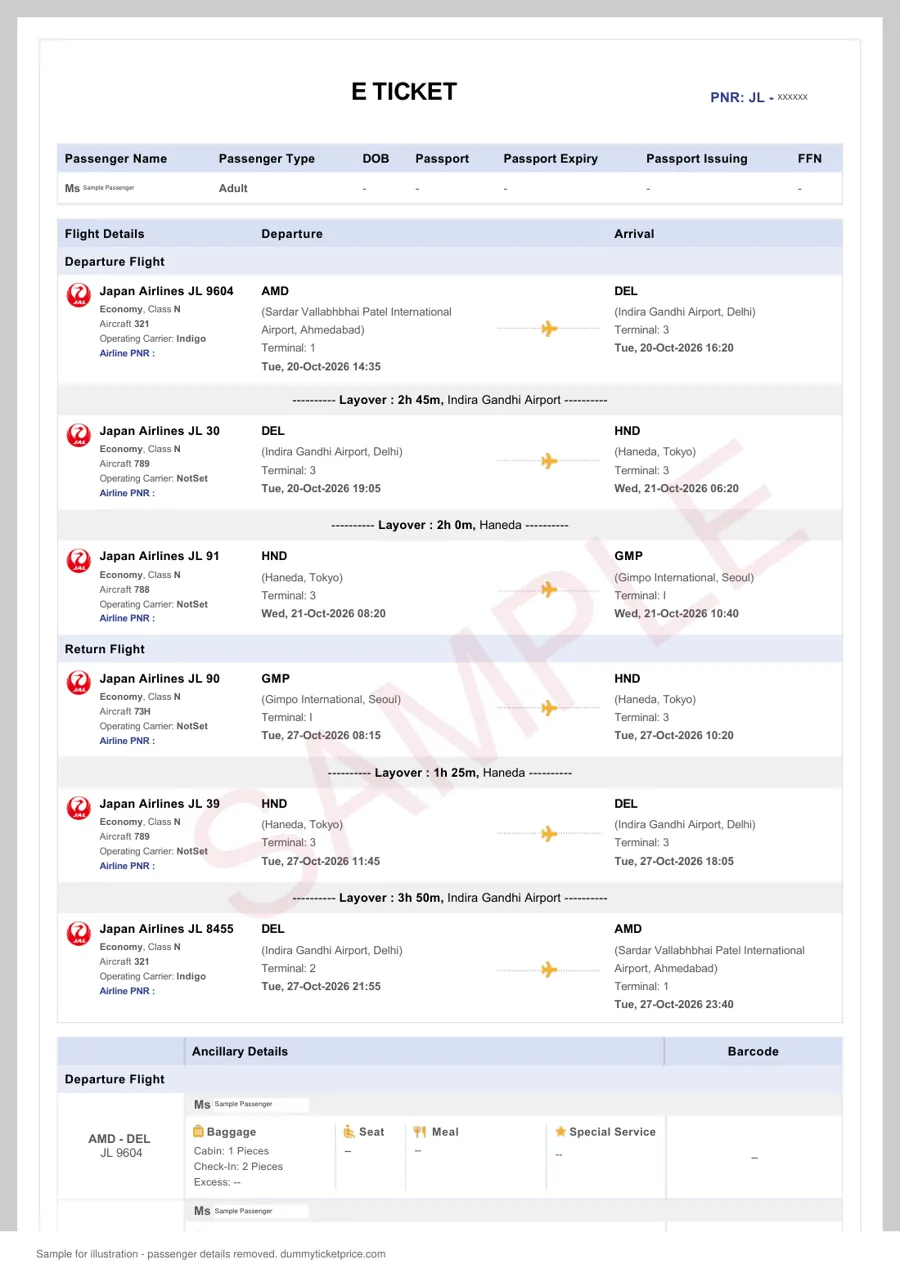
Once verified, use the PDF as your proof of onward travel. Print it in color if your visa application center requires physical copies, or attach it digitally if you are applying online. The itinerary will show your booking reference, flight numbers (e.g., NH 7 from JFK to NRT), departure and arrival times, and the fare basis — all fields that consular officers expect to see.

Delivery Timeframe and What Affects It

While the standard delivery is roughly 10 minutes, allow up to 30 minutes during peak visa season (typically April–June for Japan and September–November for Schengen). The table below summarizes the realistic expectations:

Scenario Typical Delivery Time Notes
Single passenger, standard route (e.g., US to Japan) 8–12 minutes Fastest; system auto-assigns a live PNR.
Multi-city or open-jaw routes 15–20 minutes Requires manual fare check to keep the booking valid.
Group booking (5+ passengers) 20–30 minutes All names must match passports; additional validation time.

Step 6: What to Do If Your PNR Does Not Display

On rare occasions, an airline's system may take a few extra minutes to sync. If your PNR does not show on the ANA website within one hour, contact DummyTicketPrice support using the email address in your payment receipt. They will regenerate a fresh reservation at no extra cost. Do not attempt to modify the PNR yourself — any changes to the flight times or dates will invalidate the booking and may flag your file with the airline.

Related guide: Dummy Ticket for Nigeria Visa: Flight Reservation Requirements, Process and Mistakes to Avoid.

How to Verify Your ANA Dummy Ticket PNR on ana.co.jp and GDS Systems

Before you submit your visa application, you should always confirm that the ANA flight reservation you received is live and verifiable. A genuine PNR confirmation will return your passenger details and itinerary when checked through official channels. Here is how to verify your booking hold directly with ANA and through the same Global Distribution Systems (GDS) that travel agents and visa officers use.

Method 1: Direct Verification on the ANA Website (ana.co.jp)

ANA provides a public-facing reservation lookup tool that works with any active PNR confirmation. This is the fastest way to confirm that your dummy ticket is not a fabricated document.

  1. Go to the ANA manage-booking page. Navigate to the “Manage Booking” or “Reservation Details” section on ana.co.jp. You do not need to be logged into a Mileage Club account to use this tool.
  2. Enter your PNR confirmation code. Your ANA dummy ticket will include a six-character alphanumeric code (e.g., ABC123). Type it exactly as shown, without spaces.
  3. Enter the last name of the primary passenger. Use the surname exactly as it appears on the passport and the ticket. If the name is hyphenated or has a suffix, include it precisely.
  4. Click “Search” or “Retrieve Reservation.” The system will display your current itinerary, including flight numbers, departure and arrival times, and booking status.

What you should see: a status of “Confirmed” or “Ticketed” for each flight segment. If the itinerary shows as “On Hold” or “Pending,” that is still acceptable for most visa applications, provided the PNR is live and retrievable. A record that returns an error message or “No Reservation Found” means the booking was never issued or has already expired.

Method 2: Verification via GDS Systems (Sabre, Amadeus, Travelport)

Visa officers and embassies typically use a GDS to check flight reservations, not the airline’s public website. You can also verify your PNR confirmation through a GDS, but this requires access to a travel agent’s terminal or a paid GDS viewer service.

GDS Platform Typical Command (Sabre Format) What It Displays
Sabre R/ABC123/SMITH Full passenger itinerary, ticket status, and fare rules
Amadeus RT ABC123/SMITH PNR history, segment status, and last-ticketing date
Travelport (Galileo/Worldspan) RTV ABC123/SMITH Booking class, segment confirmation, and SSR remarks

If you do not have GDS access, you can ask the agency that issued your dummy ticket to send you a screenshot of the GDS display. A legitimate provider will usually do this within minutes of your request. Alternatively, some online services offer one-time GDS PNR checks for a small fee, but this is rarely necessary if the ANA website lookup works.

Red Flags to Watch For During Verification

  • PNR is retrievable on ana.co.jp but not in any GDS. This is unusual because ANA feeds all bookings into the GDS. It may indicate a fake or non-issued record.
  • The passenger name on the PNR does not exactly match your passport. Any discrepancy, even a missing middle name, can cause the visa officer to reject the reservation.
  • The booking status shows “Pending” for more than 72 hours. ANA dummy tickets typically hold a seat for 24 to 72 hours. If your reservation has been “pending” longer, it may have been dropped.
  • The fare rules display a non-refundable, non-changeable code. While this does not invalidate the reservation, some embassies prefer a flexible booking hold. Check that the fare basis code matches what was promised.

What to Do If Verification Fails

If your PNR confirmation does not return any data on ana.co.jp within 30 minutes of receipt, contact the issuing agency immediately. The reservation is issued exactly as entered, so please check names, dates and route before paying; a new date or correction needs a fresh order. Do not submit a dummy ticket to the embassy until you have successfully verified it yourself, as an invalid PNR can lead to a visa refusal or an administrative review that delays your application by several weeks.

Our guide to the dummy ticket for visa explains why embassies ask for a reservation rather than a paid ticket.

Comparison Table: DummyTicketPrice vs. Other ANA Dummy Ticket Providers

Not all ANA dummy ticket services operate the same way. Some sell PDF-only quotes that look like itineraries but have no live reservation behind them; others provide genuine PNR confirmations but at a premium. Below is a side-by-side comparison of DummyTicketPrice against the typical alternatives you will encounter when shopping for a flight reservation for your visa file.

What You Are Actually Paying For

A verifiable ANA dummy ticket must include a live PNR (record locator) that you can check on ana.co.jp under "Manage Booking." A PDF-only "dummy" that shows a fare quote or a screenshot of a search results page will not pass a consular check because the airline has no record of your passenger name. The table below focuses on the document type, not just the price tag.

Feature DummyTicketPrice Typical GDS-Based Resellers (e.g., small travel agents on freelance platforms) Free "Dummy Ticket Generator" Websites Full-Fare Refundable ANA Ticket
Document type Real ANA reservation with live PNR (usually 6-character alphanumeric code) Real reservation via Amadeus/Travelport, often on a partner airline code-share PDF mock-up, no PNR or a fake PNR format Actual ticketed ANA booking, full fare rules apply
Price per passenger ₹599 / $7 flat ₹800–₹2,500 ($10–$30) depending on route and urgency Free, but you risk visa rejection ₹40,000–₹150,000+ ($500–$1,800+) for long-haul
Delivery time ~10 minutes via email 2 to 24 hours, sometimes longer if the agent works across time zones Instant download Immediate after payment, but cancellation takes 3–7 business days for refund
PNR validity on ana.co.jp Typically 7–14 days from issuance (enough to submit your application) Usually 5–10 days; some agents issue for 24 hours only unless you extend No PNR or an invalid one — the airline system shows "not found" Valid until the ticket's travel date, but you must cancel before departure
Customer support Email and WhatsApp support; fresh order if the PNR expires before your visa appointment Varies widely; many agents disappear after payment None ANA call center, but they will not help you with visa-specific documentation
Refund policy No refund after delivery, but free replacement if PNR does not verify on ana.co.jp Typically no refunds; some offer a "new booking" at 50% of the original fee Nothing to refund Refundable fare minus cancellation fee (often ₹5,000–₹10,000 or $60–$120); refund takes 7–14 days

Practical Steps When Comparing Providers

Before you purchase any ANA dummy ticket, ask the seller for a sample of their PNR format and the exact booking class they use. Then follow these checks:

  1. Request the PNR and the passenger's last name exactly as it appears on your passport. A mismatch of one letter will cause the verification to fail.
  2. Log into ana.co.jp within 10 minutes of receiving the itinerary and use the "Manage Booking" feature. If the system shows your name and flight segments, the reservation is live.
  3. Confirm that the booking code is not a "waitlisted" status. Your itinerary must show "Confirmed" or "HK" (held confirmed) in the status column if you receive a GDS printout.
  4. Check the fare basis — a dummy ticket should be in a flexible or hold class (e.g., Y or B), not a deeply discounted non-changeable fare, because visa officers sometimes spot inconsistent fare rules.

Cheaper free generators save money upfront but typically produce a document that says "reservation" without any airline record. When your visa officer enters the PNR into the airline's system and sees nothing, the application may be flagged for misrepresentation, which is a far more serious outcome than a simple refusal. A paid service that issues a real, verifiable flight reservation in your name is the only option that protects your travel history and your visa record.

Case Study: How an Indian Applicant Secured a Schengen Visa with an ANA Dummy Ticket from DummyTicketPrice

To illustrate how this works in practice, consider the case of Priya, a 29-year-old software engineer from Pune. Priya planned a two-week trip to France and Italy in late October. Her Schengen application was to be submitted at the VFS Global centre in Mumbai, with France as her primary destination. She had all her financial documents ready—six months of bank statements showing a healthy balance of roughly ₹4.2 lakh, a salary slip from the last three months, and a no-objection letter from her employer. The one gap in her file was a confirmed round-trip flight booking. She was not ready to pay ₹85,000 for a non-refundable ANA ticket months in advance, especially since her visa outcome was uncertain.

Priya decided to use a verifiable ANA dummy ticket from DummyTicketPrice to hold her itinerary without paying the full fare. Her travel dates were fixed: departure from Mumbai (BOM) to Paris (CDG) on October 22, and return from Rome (FCO) to Mumbai via Tokyo (HND/NRT) on November 4. She needed a single PNR that covered both legs, as some Schengen consulates prefer one continuous reservation over two separate one-way bookings.

Step 1: Placing the Order with Accurate Passenger Details

Priya placed her order on a Tuesday evening, about three weeks before her intended visa appointment. She entered her name exactly as it appeared on her passport—PRIYA SHARMA—with no initials or shortened forms. She specified her desired ANA flights, including the connecting segment through Tokyo. The order form also asked for her passport number and date of birth, which DummyTicketPrice uses to ensure the PNR matches her travel document. Within approximately 10 minutes, she received the dummy ticket PDF and, more importantly, a six-character alphanumeric PNR confirmation code.

Step 2: Verifying the PNR on the ANA Website

Before submitting her visa file, Priya followed the verification process outlined in earlier sections. She visited the ANA website, navigated to the “Manage Booking” section, and entered her PNR code along with her last name. The system pulled up her itinerary instantly, showing both the BOM–CDG outbound leg on October 22 and the FCO–BOM return leg on November 4, with the Tokyo connection. She also noticed the fare basis code and booking class (usually a “K” or “L” fare for dummy reservations) displayed on the screen. This live confirmation gave her confidence that the reservation was genuine and not a fabricated PDF.

Step 3: Preparing the Supporting Documents

Priya printed two copies of the ANA itinerary—one marked “FOR VISA APPLICATION ONLY” and another clean copy. She also kept a screenshot of the ANA website showing her PNR details, just in case the visa officer wanted to cross-check. She organised her file in the following order:

  • Visa application form (signed and dated)
  • Two recent passport-size photographs (35mm x 45mm, white background)
  • Passport with at least two blank pages and validity beyond May of the following year
  • Cover letter explaining her travel purpose and itinerary
  • The ANA dummy ticket with the live PNR
  • Travel insurance with €30,000 minimum coverage from a recognised Indian insurer
  • Hotel bookings for Paris (4 nights) and Rome (6 nights) made via a refundable rate
  • Bank statements, salary slips, and employer NOC

Step 4: The Visa Interview and Outcome

Priya attended her biometric appointment at the VFS Mumbai centre on a Thursday. The visa officer reviewed her file, paused briefly at the ANA itinerary, and asked why she had not purchased a ticket yet. Priya explained that she was awaiting the visa decision before committing to a non-refundable fare, and that the reservation was held with a live PNR that could be ticketed immediately after approval. She offered to show the ANA website verification on her phone, but the officer did not request it. The application was processed within the standard timeframe—typically 10 to 15 calendar days for Indian applicants during non-peak season. Priya received her Schengen visa with a 30-day validity and single entry, exactly matching her submitted travel dates.

Key Takeaways from Priya’s Experience

AspectWhat WorkedWhat to Avoid
Passenger nameExactly matched passportNicknames or reversed names
Route logicRound-trip on one PNROpen-jaw or mismatched cities
Date consistencyAligned with hotel bookingsConflicting dates across documents
VerificationChecked PNR on ana.co.jp before submissionSubmitting an unverified PDF
Application timingSubmitted 3 weeks before departureApplying less than 15 days out

Priya’s case demonstrates that an ANA dummy ticket from DummyTicketPrice, when used correctly, can satisfy the travel requirement of a Schengen visa application without forcing the applicant to risk a full-fare purchase. The key was treating the reservation as a temporary hold rather than a substitute for a real ticket—she was fully prepared to purchase the actual ANA fare immediately after her visa was stamped. Her careful attention to passenger details, route logic, and date consistency made the dummy ticket indistinguishable from a genuine booking at the document review stage. Following her approval, she confirmed the real ticket with ANA using the same PNR, ensuring a seamless transition from reservation to confirmed travel.

Related guide: Singapore Airlines Dummy Ticket: How the Reservation Works, PNR Verification and Visa Acceptance.

7 Common Mistakes to Avoid When Using an ANA Dummy Ticket

Mistake #1: Misspelling or Mismatching the Passenger Name

The single most common reason a visa officer rejects an application involving a flight reservation is a name that does not exactly match the applicant’s passport. If your passport says ANURADHA K SHARMA but your ANA itinerary lists ANURADHA SHARMA or A K SHARMA, the officer may flag it as fraudulent or inconsistent.

Prevention: Before ordering any dummy ticket, open your passport bio page and copy the name field character-for-character, including any middle initials. When you receive the PNR confirmation, cross-check every letter against that passport entry. The reservation is issued exactly as entered, so please check names, dates and route before paying; a new date or correction needs a fresh order.

Mistake #2: Letting the PNR Expire Before Your Visa Interview

A live ANA reservation is not permanent. Typically, an un-ticketed booking held in the airline’s system remains valid for 7 to 14 days, depending on the fare class and route. Some applicants order a dummy ticket weeks ahead of their embassy appointment, only to discover at the interview that the PNR no longer returns a valid record.

Prevention: Time your purchase so that the reservation’s validity window comfortably covers your visa appointment date. As a rule of thumb, order the ANA dummy ticket no more than 10 days before your scheduled interview. If your appointment gets postponed, check the PNR on ana.co.jp immediately; if it has lapsed, order a fresh reservation rather than attempting to reuse an expired one.

Mistake #3: Building an Unrealistic Route or Timeline

Visa officers are trained to spot travel patterns that make no practical sense. Examples include booking a same-day round trip between Tokyo and New York, scheduling a connection with only 45 minutes at Narita, or showing a 10-hour layover in a city with no direct flight from your home country. An unrealistic itinerary raises red flags about whether you genuinely intend to travel.

Prevention: Choose a route that mirrors what a real traveler would book. If you are applying for a Schengen visa from India, a realistic ANA dummy ticket might show Delhi → Tokyo → Frankfurt with a 2 to 4 hour layover in Tokyo. Ensure the dates align with your visa application window — for example, if you state you plan to enter Schengen on the 20th, your flight reservation should show arrival on that date or the day before, not a week earlier.

Mistake #4: Using a Different Name on the Visa Form vs. the Itinerary

Even if your ANA reservation is correct, if the name on your visa application form, passport, and dummy ticket do not all match, the embassy may reject the entire file as inconsistent. This mistake often happens when applicants use a nickname or an anglicized variant in one document.

Prevention: Before submitting, create a simple checklist with three columns: Passport, Visa Application Form, ANA Dummy Ticket PNR. Verify that the name, date of birth, and nationality are identical across all three. If you have a dual nationality or a recently changed name, pay extra attention to how the passport-issuing authority has recorded it.

Mistake #5: Ignoring the PNR Verification Step

Some applicants receive a PDF that looks like an ANA itinerary but contains a PNR that does not exist in the airline’s system. This happens when a provider sends a “quotation” or a mock-up rather than a genuine booking. A PDF alone is not proof of a reservation — the embassy can and often does verify the PNR online.

Prevention: Always verify your ANA dummy ticket PNR on the official ana.co.jp website before your interview. Go to the “Manage Booking” or “Flight Status” section, enter the six-character PNR and the passenger’s last name, and confirm that the system returns your flight details. If it does not, contact your provider immediately for a replacement.

Mistake #6: Ordering Too Early or Too Late

Timing is a balancing act. Order too early, and the PNR may expire before your interview. Order too late (for example, the night before), and you risk delivery delays, payment failures, or an inability to verify the reservation in time.

Prevention: Aim to place your order 3 to 5 business days before your visa appointment. This gives you a buffer to verify the PNR, request corrections if needed, and still have a valid reservation on interview day. Avoid ordering on weekends or public holidays if your interview falls early in the week, as delivery times may stretch.

Mistake #7: Reusing the Same ANA Dummy Ticket for Multiple Visa Applications

If you are applying for visas to two different countries (for example, Japan and then Schengen), you cannot use the same PNR for both applications. Each embassy expects to see a reservation that corresponds to the specific travel dates you declared in that application. Reusing an identical itinerary across different embassies looks suspicious and may lead to both applications being denied.

Prevention: Order a fresh ANA dummy ticket for each visa application, with route and dates tailored to that specific submission. Keep a record of which PNR was used for which embassy, so you never accidentally submit the same reservation twice.

MistakeConsequencePrevention Step
Name mismatchVisa rejection for inconsistencyCopy name exactly from passport bio page
Expired PNROfficer cannot verify reservationOrder 3–5 days before interview
Unrealistic routeSuspicion of fake intentMirror real traveler patterns
Inconsistent documentsFile flagged as fraudulentTriple-check name across all forms
Skipping verificationUndetected invalid PNRCheck on ana.co.jp before submission
Poor timingExpired or rushed reservationAllow 3–5 business days buffer
Reusing a PNRMultiple embassy rejectionsOrder fresh reservation per application

By avoiding these seven common errors, you ensure that your ANA flight reservation serves its intended purpose: a clean, verifiable piece of evidence that supports your visa application without raising questions. When in doubt, always choose a provider that offers live PNR verification and a correction guarantee — this single step eliminates most of the pitfalls listed above.

Frequently Asked Questions About ANA Dummy Tickets

1. Is it legal to use a dummy ticket for a visa application?

Yes, using a flight reservation for visa purposes is legal in virtually all jurisdictions, provided you do not misrepresent it as a paid ticket. ANA dummy tickets are genuine placeholders created in the airline's reservation system — they are not forged documents. Visa officers understand that applicants often need to secure a visa before purchasing a non-refundable ticket. The key distinction is that you are submitting a verifiable itinerary with a live PNR, not a fabricated PDF. However, you should never claim to have paid for a ticket when you have not, and you should not submit the same reservation after its hold period has lapsed without renewing it.

2. How long is an ANA dummy ticket valid for visa submission?

The validity depends on the fare rules attached to the specific route. Most ANA dummy tickets hold for 72 hours to 14 days, though some international routes may offer longer holds. For visa purposes, you typically need the reservation to remain active only until your application is submitted and the officer checks it — usually within 3 to 5 business days. If your visa processing takes longer, you can request a PNR extension or a fresh booking. Always check the "ticketing deadline" shown on your itinerary; if the hold expires before your visa decision, the officer cannot verify the PNR, which may delay processing.

3. Will ANA cancel my dummy ticket automatically?

Yes, ANA's reservation system automatically cancels unpaid bookings once the ticketing deadline passes. This is standard industry practice — the fare class inventory is released back for sale. You will not be charged, and there is no penalty. However, if your visa appointment is postponed or rescheduled after the hold lapses, the PNR becomes invalid. To avoid gaps, order your dummy ticket no more than a week before your visa submission date, and if you need a longer window, use a service that can place a booking with extended ticketing time limits. Some premium economy or business class fares hold longer than economy promotional fares.

4. What passenger details must match on the ANA dummy ticket?

The name on your flight reservation must exactly match your passport and visa application form. ANA requires the surname and given name as they appear in the passport's machine-readable zone. Middle names should be included if present on the passport; initials are not acceptable. Date of birth and gender must also match. If you are applying for a family visa, each member needs their own PNR linked to the same itinerary. A mismatch of even one letter can cause the visa officer to reject the itinerary as invalid. Before submitting, cross-check your ANA dummy ticket against your passport bio page and the visa application form line by line.

5. Can I use the same ANA dummy ticket for multiple visa applications?

Technically, you can reuse a single PNR for multiple applications, but it is not recommended. Embassies do not share real-time reservation databases with each other, so a live PNR could theoretically be submitted to a Schengen state and a UK visa office simultaneously. However, if the first embassy checks the PNR and the second does so weeks later, the booking may have lapsed. More importantly, some visa officers compare travel history; if your itinerary shows you departing to Japan while your other application says you are flying to Germany, it raises red flags. Order a fresh dummy ticket for each visa application to keep routes consistent with your actual travel plans.

6. What is the difference between a dummy ticket and a "hold" booking?

These terms overlap but are not identical. A hold booking is created when you or an agent reserve seats with ANA without payment — this produces a PNR and is what a dummy ticket service delivers. The difference lies in presentation: a proper dummy ticket for visa purposes should be formatted as a clear itinerary that shows the PNR, booking class, flight numbers, dates, and the fare basis. Some travelers mistakenly submit the raw confirmation email from ANA, which may lack the structured format visa officers expect. A reputable service will provide a clean, professional itinerary document alongside the PNR, plus instructions on how to verify it on ana.co.jp before your appointment.

Common QuestionQuick AnswerAction Needed
Is it legal?Yes, as a reservation placeholderNever claim it is a paid ticket
How long does it last?72 hours to 14 days typicallyCheck the ticketing deadline
What happens at expiry?ANA auto-cancels, no chargeOrder a fresh reservation
Name requirements?Exact passport matchVerify before submission
Reuse for other visas?Possible but riskyGet a new dummy ticket

If your situation falls outside these scenarios — for example, you need a same-day booking for a visa interview tomorrow, or your route involves ANA code-share partners like United or Air Canada — check the fare rules carefully. Code-share flights may have different hold periods, and the PNR may only be verifiable on the operating carrier's system. When in doubt, contact the booking service or ANA directly to confirm the reservation is valid for embassy verification before you submit.

SECURED PAYMENTS BYRazorpay